![Untitled design (3)-1.png]](https://support.toughcommerce.com/hs-fs/hubfs/Untitled%20design%20(3)-1.png?width=40&height=40&name=Untitled%20design%20(3)-1.png)
Credit settings determine how much credit a customer can use and how long they have to pay their balance.
You can set:
- Credit Limit — The maximum unpaid balance a customer can carry.
- Unlimited Credit — Removes the credit limit for the customer.
- Net Terms — The number of days the customer has to pay their balance before it becomes overdue.
Example: If a customer has a $10,000 credit limit, they can place credit orders until their outstanding balance reaches $10,000.
Steps to manage a customer's credit terms
- In the left-hand navigation bar, click Customers.
- Find the customer you want to update.
- Click the customer's name to open their profile.
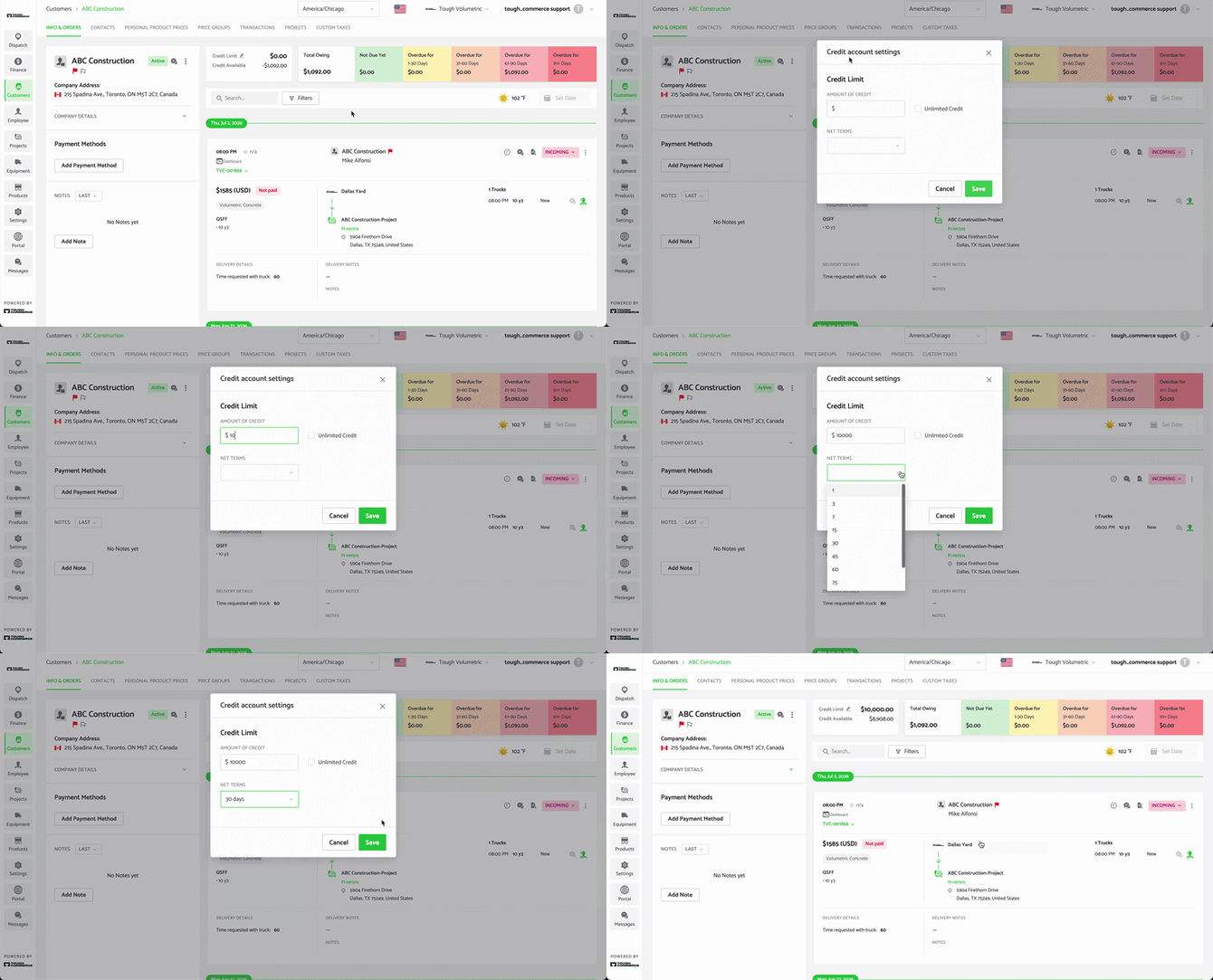
- At the top customer profile, to the right of the business name, you will see a box with Credit Limit and Credit Available. Click the pencil icon next to Credit Limit.
- Update the customer's credit settings:
- Credit Limit: Enter the maximum amount of credit the customer can carry.
- Unlimited: Select this option if the customer should have no credit limit.
- Net Terms: Select the number of days the customer has to pay their balance.
- Click Save.
The customer's credit settings will now be updated.
Where credit information appears
The customer's Credit Limit is displayed at the top of their customer profile. You will also see their Aging order information. It will also appear on the Finance > Aging page.
The customer's Net Terms can be viewed by hovering over the overdue bar at the top of the customer profile. Net terms are also displayed on the Finance > Aging page.
Please note: Setting a credit limit and net terms does not change the customer's existing balance. These settings determine the credit available to the customer and when their balance is considered overdue.